-3.png?width=250&height=31&name=getground-full-light%20(3)-3.png)
What is inbox?
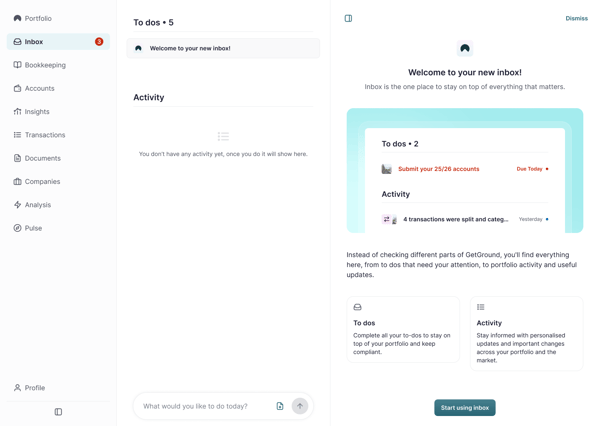
Inbox activity items help you see important updates about your GetGround account, companies, documents, incoming mail, invitations, accounting, tax, and change requests. They are shown as short activity messages when the inbox experience is available to you.
Your inbox may also show tasks that need your attention. Urgent tasks appear first, and tasks with due dates are ordered with the soonest due date first. In narrow panels, task rows may show less detail until there is more space.
Step-by-step
- Go to your inbox area.
- Select a task or activity item to see more details. If a task row looks shortened, open it to view the full detail.
- If you see Welcome to your new inbox!, select Start using inbox when you are ready. This dismisses the welcome task.
- If you see an activity item about a document or incoming mail, select it to read the update.
- If there are more than 10 items, use the next page or load-more option to see more.
What can appear as an activity item?
Activity items can show updates such as accounting submission progress, corporation tax payment status, invitation responses, document signing, change request completion, property change request completion, and Companies House code linking.
Why did I receive an activity item after someone signed documents?
Some document signing actions create activity items so shareholders can see progress on the relevant company or change request.
Why do I see Start your property journey?
You may see this if you do not have any properties yet. It helps you start adding your first property