-3.png?width=250&height=31&name=getground-full-light%20(3)-3.png)
Locating your documents
You can locate and manage your documents by following these easy steps:
- From the 'Portfolio' page, select 'Documents'

- You can filter by 'document type', 'Company' and 'Property'
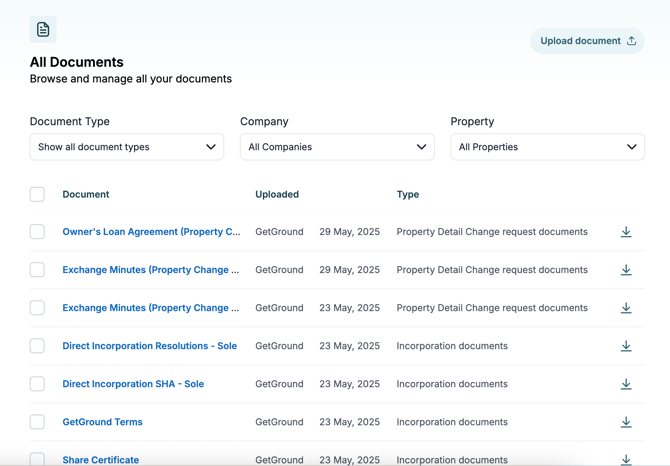
To upload a document, select Upload document from the top-left corner. Supported file types include PDF, JPEG, and PNG.
Types of documents
You can upload any documents relevant to your portfolio to the Documents section. Common examples include:
- Company incorporation documents (we upload these for you)
- Receipts/Invoices
- Important documentation about your property
- Rental statements
- Mortgage statements
You can categorise your documents to help make sure the accounts submission is a smooth process.
Receiving post on behalf of your company
Our dedicated postal team scans and uploads any correspondence received on behalf of your company directly to the Documents section, so you never miss important post.
We'll send you an email notification as soon as we receive and process your post.
If you have any questions, contact our team at gethelp@getground.co.uk.